4K resolution
The Best 4K Monitors for 2026
The best 4K monitors for creative work and sharp desktop real estate, led by the factory-calibrated BenQ PD2705U.
Our top picks at a glance
Best 1440p alternative
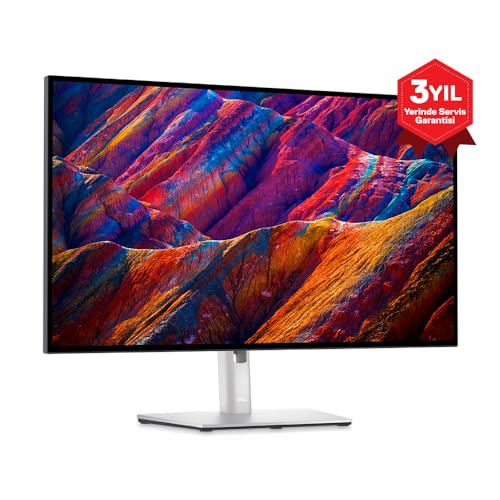 Dell UltraSharp U2723D
Home office workers who want excellent text clarity and one-cable laptop docking.
The BenQ PD2705U is the best 4K monitor for creators, with factory-calibrated color covering the sRGB and Rec.709 gamuts designers actually work in. If your work is mostly text and video calls rather than pixel-level editing, the 1440p Dell U2723D below is the better value.
The picks, ranked
| Pick | Size | Resolution | Panel | Buy |
|---|---|---|---|---|
 Best 4K for creatorsBenQ PD2705U Best 4K for creatorsBenQ PD2705U | 27 in | 3840 × 2160 (4K) | IPS | Check price |
| Best 1440p alternativeDell UltraSharp U2723D | 27 in | 2560 × 1440 (QHD) | IPS Black | Check price |
Best 4K for creators
BenQ PD2705U
4K color accuracy for designers.
Strengths
- 4K IPS with strong color accuracy
- USB-C with 65W charging
- Dedicated CAD/CAM and animation modes
Limitations
- 60Hz only
- No local dimming for HDR
- Priced above general-use 4K monitors
What owners report
Commonly praised
- Accurate color for photo and design work
- Single USB-C cable powers and connects laptops
- Hotkey Puck makes switching modes easy
Common complaints
- Brightness is limited for very bright rooms
- Built-in speakers are weak
- Occasional corner light leakage reported
Recurring themes from owner reviews on retailers and forums, summarised by our editors. Updated October 2026.
| Size | 27 in |
|---|---|
| Resolution | 3840 × 2160 (4K) |
| Panel | IPS |
| Refresh rate | 60 Hz |
| USB-C | Yes, 65W PD |
Best for: Designers and video editors who need factory-calibrated 4K color.
Skip if: You mainly game or want high refresh rates.
Best 1440p alternative
Dell UltraSharp U2723D
IPS Black clarity with a full USB-C hub.
Strengths
- IPS Black panel with strong contrast
- USB-C hub with 90W power delivery
- Factory color calibration
Limitations
- 60Hz refresh rate only
- No HDR gaming features
- Premium price for the size
What owners report
Commonly praised
- Sharp 4K text and accurate color for office and Mac setups
- USB-C hub with charging, ethernet, and many ports
- Excellent stand adjustability
Common complaints
- 60Hz only, with no variable refresh for gaming
- Some units show backlight bleed along the edges
- HDR is weak, and reflections are noticeable in bright rooms
Recurring themes from owner reviews on retailers and forums, summarised by our editors. Updated October 2026.
| Size | 27 in |
|---|---|
| Resolution | 2560 × 1440 (QHD) |
| Panel | IPS Black |
| Refresh rate | 60 Hz |
| USB-C | Yes, 90W PD with hub |
Best for: Home office workers who want excellent text clarity and one-cable laptop docking.
Skip if: You need high refresh rates for gaming.
Questions, answered
Can a laptop drive a 4K monitor?
Most modern laptops can, over USB-C or DisplayPort. Integrated graphics handle desktop 4K at 60Hz fine; only gaming or 3D work at 4K demands a discrete GPU.
Is 27 inches too small for 4K?
At typical desk distances, 27-inch 4K looks extremely sharp with 150 percent scaling. It suits detail work. For more screen real estate at native scaling, 32 inches is the common step up.