Head to head
Samsung T7 vs Samsung T9 (2026)
Head-to-head: Samsung T7 versus Samsung T9. When the 2,000 MB/s upgrade is worth it, and when it is wasted money.
#1 in our rankings · Best overall

Samsung T7 Portable SSD
Best for: Everyday backup and file transfer where reliability and encryption matter.
#2 in our rankings · Fastest
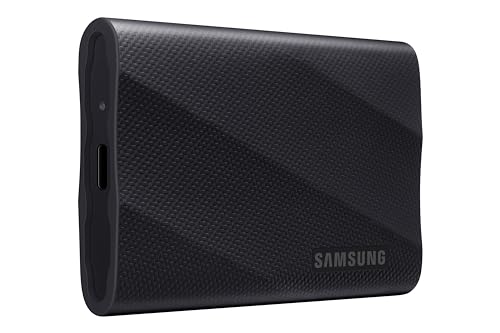
Samsung T9 Portable SSD
Best for: Video editors and creators whose machines have USB 3.2 Gen 2x2 ports.
Our recommendation
The decision is made by your USB ports, not your budget. If your computer has USB 3.2 Gen 2x2 (20 Gbps), the T9's 2,000 MB/s is real and worth it for video work. On the 10 Gbps Gen 2 ports most computers have, both drives run at the same speed, so buy the cheaper T7 and pocket the difference, plus gain hardware encryption the T9 lacks.
Speed and the port catch
The T9 doubles the T7's throughput to 2,000 MB/s, but only on Gen 2x2 ports. On Gen 2 (10 Gbps) ports, which cover the large majority of laptops and desktops, both drives top out around 1,000 MB/s. This is the single most misunderstood spec in portable storage.
Thermals and sustained work
The T9's Dynamic Thermal Guard sustains long writes better, an edge for hour-long video exports. The T7 handles typical backup and transfer workloads without issue; only continuous heavy writes separate them.
Encryption and price
The T7 includes AES 256-bit hardware encryption; the T9 relies on software password protection. The T7 also costs less per gigabyte. Unless you can use the T9's speed, the T7 wins on both security and value.
Choose Samsung T7 Portable SSD if…
- Your ports max out at USB 3.2 Gen 2
- Hardware encryption matters to you
- You want the best value per gigabyte
Choose Samsung T9 Portable SSD if…
- Your machine has a 20 Gbps Gen 2x2 port
- You export long video projects regularly
- You need sustained 2,000 MB/s throughput
Spec-by-spec comparison
| Spec | Samsung T7 Portable SSD | Samsung T9 Portable SSD |
|---|---|---|
| Price tier | Mid-range | Premium |
| Sequential read | Up to 1,050 MB/s | Up to 2,000 MB/s |
| Sequential write | Up to 1,000 MB/s | Up to 2,000 MB/s |
| Interface | USB 3.2 Gen 2 (10 Gbps) | USB 3.2 Gen 2x2 (20 Gbps) |
| Encryption | AES 256-bit hardware | — |
| Weight | About 58 g | — |
| Thermal | — | Dynamic Thermal Guard |
| Capacities | — | 1 TB, 2 TB, 4 TB |
| Best for | Everyday backup and file transfer where reliability and encryption matter. | Video editors and creators whose machines have USB 3.2 Gen 2x2 ports. |
| Skip if | You need IP-rated water resistance or 2,000 MB/s speeds. | Your computer lacks a Gen 2x2 port; you will not see 2,000 MB/s. |
Strengths and limitations
Samsung T7 Portable SSD
Strengths
- 1,050 MB/s read and 1,000 MB/s write over USB 3.2 Gen 2
- AES 256-bit hardware encryption built in
- Compact aluminum unibody at about 58 g
Limitations
- No IP water or dust rating
- No carabiner loop or ruggedized shell
- Speeds need a USB 3.2 Gen 2 port to max out
Samsung T9 Portable SSD
Strengths
- Up to 2,000 MB/s read and write, double the T7
- Dynamic Thermal Guard prevents heat throttling
- Works with phones and tablets over USB-C
Limitations
- Needs USB 3.2 Gen 2x2 (20 Gbps) for full speed
- Falls back to slower speeds on older ports
- Premium price per gigabyte
How they fit the wider field
- Samsung T7 Portable SSD: ranked #1 (Best overall) in The Best Portable SSDs. Read the full Samsung T7 Portable SSD review.
- Samsung T9 Portable SSD: ranked #2 (Fastest) in The Best Portable SSDs. Read the full Samsung T9 Portable SSD review.
Neither one quite right? The full rankings cover 10 picks matched to different buyers.
Questions, answered
Will the T9 get faster on a future computer?
Yes, if that computer has Gen 2x2 or USB4 ports supporting 20 Gbps. Buying the T9 now as future-proofing only makes sense if an upgrade is actually planned.
Does Thunderbolt unlock the T9's full speed?
Thunderbolt 3 and 4 ports typically negotiate USB at 10 Gbps with these drives, not 20 Gbps, so no: you need a native USB 3.2 Gen 2x2 port for the full 2,000 MB/s.