In-depth review
Synology DS223j Review (2026)
Research-based review of the Synology DS223j: DSM software, real-world limits of 1 GB RAM, and who should buy it.

Synology DS223j
The simplest credible NAS: DSM software, two bays, zero fuss.
Our verdict
Verdict: The DS223j is the best first NAS for people who value simplicity over specs. Its fixed 1 GB of RAM and single gigabit port are hard ceilings, but for backups, file sharing, and photo sync, DSM's polish makes those ceilings easy to live with. Buy it to learn what a NAS is for; buy something bigger when you outgrow it.
What we like
- Runs Synology DSM, the most polished and beginner-friendly NAS operating system
- Sips power and runs nearly silent, suited to always-on home use
- Straightforward setup: DSM walks a first-timer from install to shared folders in under an hour
What to watch out for
- Fixed 1 GB of DDR4 RAM cannot be expanded, capping multitasking headroom
- Single 1GbE port means network transfers top out around 110 MB/s in practice
- Realtek ARM processor rules out Plex hardware transcoding and heavy Docker use
Who it is for
First-time NAS buyers who want dependable network storage and automated backups without a learning curve.
Setup and software
DSM remains the benchmark for NAS software. Synology's web-based setup wizard walks through drive installation, RAID selection, and user accounts with plain-language explanations, and the Package Center offers one-click installs for backup, photo management, and media apps. For a buyer who has never touched a NAS, this guided experience is the DS223j's single biggest asset.
Performance where it counts
With a single 1GbE port, sequential transfers land in the familiar 100 to 112 MB/s range, which saturates the network link but nothing more. The Realtek RTD1619B quad-core at 1.7 GHz handles file serving, Time Machine backups, and Synology Photos indexing competently. It is not a transcoding or virtualization box, and Synology does not pretend otherwise.
What it gets wrong
The 1 GB of DDR4 is soldered and non-expandable, so running several packages simultaneously can push memory usage uncomfortably high. There is no 2.5GbE option, no M.2 cache slot, and no path to add either later. You are buying exactly the NAS Synology built, with no upgrade story.
How it stacks up
Against the QNAP TS-233, the DS223j trades networking speed and RAM (1 GB vs 2 GB, 1GbE vs 2.5GbE) for DSM's superior ease of use. Against the TerraMaster F2-212, it costs more for slower networking but delivers far more mature software and a larger support community. Beginners should favor the DS223j; tinkerers chasing speed per dollar should look at the other two.
What owners report
Commonly praised
- Affordable entry into Synology's software
- Easy setup
- Stable for backups and file sharing
Common complaints
- No tool-less drive trays
- Modest CPU and RAM
- Only 1GbE networking
Recurring themes from owner reviews on retailers and forums, summarised by our editors. Updated October 2026.
Key specifications
- Drive bays
- 2
- CPU
- Realtek RTD1619B, quad-core 1.7 GHz
- Memory
- 1 GB DDR4 (fixed, not expandable)
- Network
- 1x 1GbE RJ-45
- Operating system
- Synology DSM 7.x
Also consider
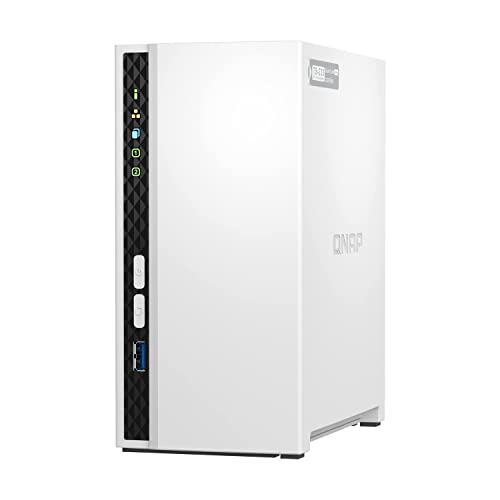
QNAP TS-233
2.5GbE networking at a two-bay price.
- Drive bays: 2
- CPU: ARM Cortex-A55, quad-core 2.0 GHz

Synology DS423+
Four bays and an Intel chip: the NAS you grow into, not out of.
- Drive bays: 4
- CPU: Intel Celeron J4125, quad-core (2.0 GHz base, 2.7 GHz burst)
Research-based assessment. ThePickLedger has not hands-on tested this product; this evaluation synthesizes manufacturer specifications, retailer documentation, and published expert reviews.
Questions, answered
Is 1 GB of RAM enough for a NAS?
For file storage, backups, and photo sync, yes. It becomes a constraint only when you stack multiple apps or services, which is not what this unit is built for.
Can the DS223j run Plex?
Plex Media Server installs and direct-plays fine, but the ARM chip cannot hardware-transcode, so clients must support your files natively.
What drives should I put in it?
NAS-rated 3.5-inch drives such as WD Red Plus or Seagate IronWolf. Check Synology's compatibility list for your exact capacity before buying.