In-depth review
Elgato HD60 X Review (2026)
Research-based review of the Elgato HD60 X: 4K60 HDR passthrough, 1080p60 capture, VRR support, and console streaming fit.

Elgato HD60 X
Console capture with 4K60 HDR passthrough.
Our verdict
The HD60 X solves the exact problem console streamers have: playing in 4K HDR with VRR on your monitor while your PC captures a clean 1080p60 feed. The passthrough specs are the story, and they are genuinely current-gen appropriate. The trade-off is that capture lags passthrough. You cannot capture the 4K60 HDR signal you are playing in; external USB capture tops out at 1080p60 HDR10 or 4K30 SDR, so this is a streaming card, not an archival-quality recorder.
What we like
- 4K60 HDR10 and VRR passthrough to your monitor while capturing
- 1080p60 HDR10 or 4K30 SDR capture over USB 3.0
- Works with PS5, Xbox Series X/S, and Nintendo Switch
What to watch out for
- External USB design caps capture below passthrough quality
- Needs a USB 3.0 port; USB 2.0 will not carry the signal
- No HDMI 2.1, so no 4K120 passthrough
Who it is for
PS5, Xbox Series X/S, and Switch streamers who want full-quality passthrough to their monitor plus reliable 1080p60 capture.
Passthrough: the headline feature
The HD60 X passes up to 4K60 with HDR10 and VRR to your display, which means your gameplay looks exactly as the console intended. That matters because older capture cards forced a choice between streaming and playing at full quality. VRR passthrough is the detail that keeps it relevant for PS5 and Xbox Series X owners, since variable refresh is now standard in performance modes.
Capture limits
Over USB 3.0, the card captures 1080p60 with HDR10 or 4K30 SDR. For Twitch and YouTube streaming, where output is 1080p60 at best, that is exactly enough. For recording crisp 4K60 gameplay footage for edited videos, it is not; that workload needs an internal HDMI 2.1 card or console-native recording.
Setup and compatibility
Connection is HDMI in from the console, HDMI out to the monitor, and USB-C to the PC, with the card drawing power over USB. It works with Windows 10+ and macOS 11+, and Elgato's software handles the capture side while OBS takes the feed. One practical note: it requires a true USB 3.0 port, and front-panel ports on some cases underdeliver, so use a rear motherboard port if you see dropouts.
How it stacks up
Against the older Elgato HD60 S+, the X adds 4K60 HDR and VRR passthrough that the S+ lacks, making the X the clear pick for current-gen consoles while the S+ remains fine for Switch-only streamers. Against the AVerMedia Live Gamer Ultra 2.1, the HD60 X is the simpler, cheaper, better-supported choice for 1080p60 streaming, while the AVerMedia justifies its higher price only if you need 4K144 passthrough or HDMI 2.1 capture.
What owners report
Commonly praised
- 4K60 HDR passthrough with no noticeable lag
- It works as a standard UVC device without installing Elgato software
- Compact and simple to set up with consoles
Common complaints
- Some owners report audio dropouts or audio drifting out of sync
- OBS occasionally stops picking up its audio until reconfigured
- Linux support can be unreliable on some setups
Recurring themes from owner reviews on retailers and forums, summarised by our editors. Updated October 2026.
Key specifications
- Capture
- 1080p60 HDR10 / 4K30 SDR
- Passthrough
- 4K60 HDR10, VRR supported
- Connection
- USB 3.0 (USB-C connector), HDMI in/out
- Latency
- Sub-100ms via USB 3.0 (Elgato spec)
- Compatibility
- Windows 10+ and macOS 11+
Also consider
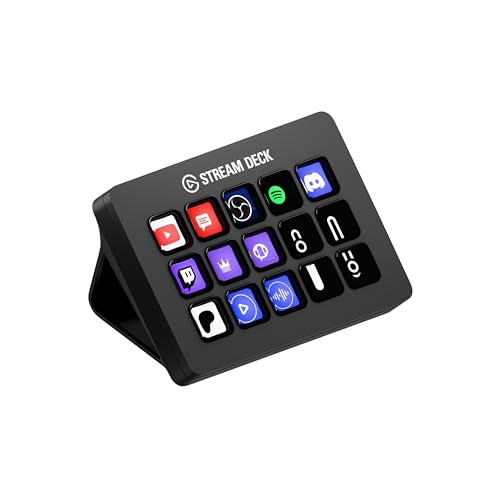
Elgato Stream Deck MK.2
15 LCD keys that run your entire stream.
- Keys: 15 customizable LCD keys
- Connection: USB 2.0 via USB-C connector

Logitech StreamCam
1080p60 with autofocus that tracks your face.
- Resolution: 1080p at 60 fps
- Focus: Autofocus with AI auto-framing
Research-based assessment. ThePickLedger has not hands-on tested this product; this evaluation synthesizes manufacturer specifications, retailer documentation, and published expert reviews.
Questions, answered
Does the HD60 X work with the PS5's HDCP?
Yes for gameplay. You must disable HDCP in the PS5 system settings for capture to work, which the console allows; media apps like Netflix keep HDCP on and will show a black screen through any capture card.
Can I stream and record at the same time?
Yes, through OBS: stream the 1080p60 feed to Twitch while recording it locally at higher quality settings. The card's capture ceiling still applies to the recording.
Is USB 3.0 really required?
Yes. USB 2.0 lacks the bandwidth for 1080p60 capture, and the card will not function properly on it. Use a rear USB 3.0 port on your motherboard for the most stable connection.