Head to head
Samsung 870 EVO vs Crucial MX500 (2026)
Samsung 870 EVO vs Crucial MX500: two SATA benchmarks compared on capacity, cache, and value for older machines.
#9 in our rankings · Best SATA upgrade

Samsung 870 EVO SATA III SSD 1TB 2.5 Inch
Best for: Older laptops and desktops with a 2.5 inch bay and no spare M.2 slot, or as a second drive for a game library.
#10 in our rankings · Best small SATA upgrade
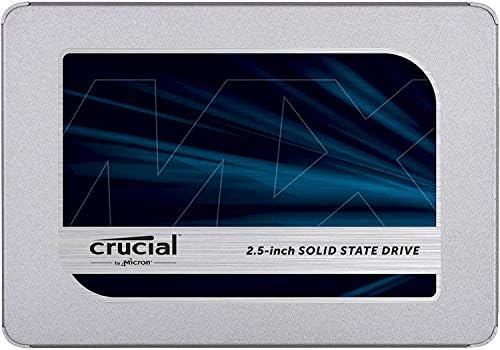
Crucial MX500 500GB 3D NAND SATA 2.5 Inch Internal SSD
Best for: Older machines that need a boot drive refresh, or a second SATA bay filled cheaply.
Our recommendation
Buy the Samsung 870 EVO if you need 1TB in a SATA machine and want Samsung software plus the strongest SATA reliability record. Buy the Crucial MX500 if 500GB is enough and you want the lowest SATA outlay with a DRAM cache. Both reach the SATA speed limit, so the choice is about capacity, software, and cost rather than speed.
Capacity
The comparison here is 1TB against 500GB, which is the real decision for many buyers: the 870 EVO holds a full system plus a game or media library, while the MX500 at 500GB suits a boot drive plus core apps. Buyers who need 1TB should not force a 500GB drive to fit.
Cache and consistency
Both drives use a DRAM cache, which keeps everyday performance steady as the drive fills, unlike DRAM-less budget drives. That shared strength is why both remain recommended SATA drives years after launch.
Software and value
Samsung Magician is the more polished cloning and monitoring package, which helps first-time upgraders. The MX500 counters on value at 500GB, where it undercuts the Samsung while delivering the same SATA-limit speeds.
Choose Samsung 870 EVO SATA III SSD 1TB 2.5 Inch if…
- You need 1TB in a SATA machine
- You want Samsung Magician software
- You want the strongest SATA reliability record
Choose Crucial MX500 500GB 3D NAND SATA 2.5 Inch Internal SSD if…
- 500GB is enough for your boot drive
- You want the lowest SATA outlay
- You value a DRAM cache at a budget position
Spec-by-spec comparison
| Spec | Samsung 870 EVO SATA III SSD 1TB 2.5 Inch | Crucial MX500 500GB 3D NAND SATA 2.5 Inch Internal SSD |
|---|---|---|
| Price tier | Mid-range | Budget |
| Capacity | 1TB | 500GB |
| Interface | SATA III 6 Gb/s, 2.5 inch | SATA III 6 Gb/s, 2.5 inch |
| Sequential read | Up to 560 MB/s | Up to 560 MB/s |
| Sequential write | Up to 530 MB/s | Up to 510 MB/s |
| Endurance | 600 TBW, 5-year warranty | 180 TBW, 5-year warranty |
| Best for | Older laptops and desktops with a 2.5 inch bay and no spare M.2 slot, or as a second drive for a game library. | Older machines that need a boot drive refresh, or a second SATA bay filled cheaply. |
| Skip if | Your machine has a free M.2 NVMe slot, where any NVMe here is several times faster for similar money. | You need 1TB or more, or your machine has an M.2 slot where NVMe is far faster. |
Strengths and limitations
Samsung 870 EVO SATA III SSD 1TB 2.5 Inch
Strengths
- Speeds up to 560 MB/s read and 530 MB/s write reach the practical limit of SATA, so no SATA drive here is meaningfully faster.
- Samsung Magician software and a long reliability record make it the low-risk SATA choice.
- The 2.5 inch form factor fits a huge range of older laptops and desktops, including machines NVMe cannot help.
Limitations
- SATA speeds are a fraction of NVMe speeds, so buyers with an M.2 slot should not buy SATA by habit.
- It needs a SATA cable and bay in a desktop, or a 2.5 inch slot in a laptop, which newer thin laptops may lack.
- Capacity per money lags behind value NVMe drives, since SATA is now a mature, slower technology.
Crucial MX500 500GB 3D NAND SATA 2.5 Inch Internal SSD
Strengths
- Reads up to 560 MB/s match the SATA limit, so boot times and app launches improve as much as SATA allows.
- A DRAM cache, unusual at this level, keeps everyday performance steady when the drive fills up.
- The 500GB size suits a boot drive plus core apps, at a lower outlay than any 1TB drive here.
Limitations
- 500GB fills quickly with modern games, so game-library buyers should choose a 1TB drive instead.
- SATA speeds cannot match even the cheapest NVMe here, so M.2 owners should not choose it.
- Endurance of 180 TBW at 500GB suits everyday use rather than heavy write workloads.
How they fit the wider field
- Samsung 870 EVO SATA III SSD 1TB 2.5 Inch: ranked #9 (Best SATA upgrade) in The Best Internal SSDs. Read the full Samsung 870 EVO SATA III SSD 1TB 2.5 Inch review.
- Crucial MX500 500GB 3D NAND SATA 2.5 Inch Internal SSD: ranked #10 (Best small SATA upgrade) in The Best Internal SSDs.
Neither one quite right? The full rankings cover 10 picks matched to different buyers.
Made your call?
Questions, answered
Which is faster?
Neither, meaningfully. Both reach the SATA limit of around 560 MB/s read, so daily speed feels the same. Choose on capacity and cost, not on headline speed.
Which lasts longer?
At their listed capacities, the 870 EVO at 1TB carries 600 TBW against 180 TBW for the 500GB MX500, but endurance scales with capacity, so the gap partly reflects size rather than quality. Both suit everyday use for years.
Should I buy SATA at all in 2026?
Only if your machine lacks a free M.2 NVMe slot, or as a second drive where NVMe speed is wasted. Any machine with a free NVMe slot should take an NVMe drive instead.