Ranked on laptop honesty: single-sided fit, power efficiency, heat, and whether the drive suits a thin laptop or an older SATA machine.
The Best SSDs for Laptop Upgrades (2026)
Laptop SSD upgrades: single-sided drives, efficient flagships, and SATA options for older machines that still have life in them.
Our top picks at a glance
Best for older laptops
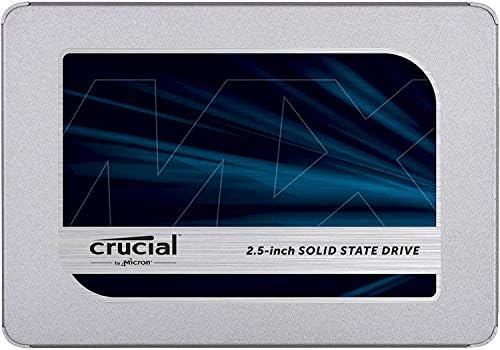 Crucial MX500 500GB 3D NAND SATA 2.5 Inch Internal SSD
Older machines that need a boot drive refresh, or a second SATA bay filled cheaply.
Best SATA laptop upgrade
 Samsung 870 EVO SATA III SSD 1TB 2.5 Inch
Older laptops and desktops with a 2.5 inch bay and no spare M.2 slot, or as a second drive for a game library.
Best all-round laptop NVMe
 Western Digital WD Blue SN580 NVMe SSD 1TB Gen4 M.2 2280
Creators and general users who want reliable Gen4 storage for projects without flagship cost.
Check your laptop's slot first: a 2.5 inch bay means the Samsung 870 EVO or Crucial MX500, while an M.2 slot means the WD Blue SN580 for all-round use or the Kingston NV2 for the lowest cost. Thin laptops should favour single-sided drives like the SN580 and P41, and always clone the old drive before swapping.
The picks, ranked
| Pick | Capacity | Interface | Sequential read | Buy |
|---|---|---|---|---|
| Best for older laptopsCrucial MX500 500GB 3D NAND SATA 2.5 Inch Internal SSD | 500GB | SATA III 6 Gb/s, 2.5 inch | Up to 560 MB/s | Check price |
| Best SATA laptop upgradeSamsung 870 EVO SATA III SSD 1TB 2.5 Inch | 1TB | SATA III 6 Gb/s, 2.5 inch | Up to 560 MB/s | Check price |
| Best all-round laptop NVMeWestern Digital WD Blue SN580 NVMe SSD 1TB Gen4 M.2 2280 | 1TB | PCIe 4.0 x4 NVMe, M.2 2280 | Up to 4,150 MB/s | Check price |
 Best cheapest laptop upgradeKingston NV2 1TB M.2 2280 NVMe SSD PCIe 4.0 Gen4 | 1TB | PCIe 4.0 x4 NVMe, M.2 2280 | Up to 3,500 MB/s | Check price |
 Best budget laptop Gen4Crucial P3 Plus PCIe Gen4 NVMe SSD 1TB | 1TB | PCIe 4.0 x4 NVMe, M.2 2280 | Up to 5,000 MB/s | Check price |
Best for older laptops
Crucial MX500 500GB 3D NAND SATA 2.5 Inch Internal SSD
The small SATA upgrade: 500GB of fast, reliable storage for a boot drive or a laptop that only needs a little more room.
Strengths
- Reads up to 560 MB/s match the SATA limit, so boot times and app launches improve as much as SATA allows.
- A DRAM cache, unusual at this level, keeps everyday performance steady when the drive fills up.
- The 500GB size suits a boot drive plus core apps, at a lower outlay than any 1TB drive here.
Limitations
- 500GB fills quickly with modern games, so game-library buyers should choose a 1TB drive instead.
- SATA speeds cannot match even the cheapest NVMe here, so M.2 owners should not choose it.
- Endurance of 180 TBW at 500GB suits everyday use rather than heavy write workloads.
What owners report
Commonly praised
- Boot times improve as much as SATA allows
- The DRAM cache keeps pace steady as the drive fills
- The small size makes a cheap boot-drive refresh easy to justify
Common complaints
- Games fill the space quickly and force careful management
- M.2 owners gain far more speed from any NVMe drive
- Endurance suits everyday use rather than heavy writing
Recurring themes from owner reviews on retailers and forums, summarised by our editors. Updated October 2026.
| Capacity | 500GB |
|---|---|
| Interface | SATA III 6 Gb/s, 2.5 inch |
| Sequential read | Up to 560 MB/s |
| Sequential write | Up to 510 MB/s |
| Endurance | 180 TBW, 5-year warranty |
Best for: Older machines that need a boot drive refresh, or a second SATA bay filled cheaply.
Skip if: You need 1TB or more, or your machine has an M.2 slot where NVMe is far faster.
Best SATA laptop upgrade
Samsung 870 EVO SATA III SSD 1TB 2.5 Inch
The SATA benchmark: the fastest a SATA bay can go, with Samsung reliability for machines without an M.2 slot.
Strengths
- Speeds up to 560 MB/s read and 530 MB/s write reach the practical limit of SATA, so no SATA drive here is meaningfully faster.
- Samsung Magician software and a long reliability record make it the low-risk SATA choice.
- The 2.5 inch form factor fits a huge range of older laptops and desktops, including machines NVMe cannot help.
Limitations
- SATA speeds are a fraction of NVMe speeds, so buyers with an M.2 slot should not buy SATA by habit.
- It needs a SATA cable and bay in a desktop, or a 2.5 inch slot in a laptop, which newer thin laptops may lack.
- Capacity per money lags behind value NVMe drives, since SATA is now a mature, slower technology.
What owners report
Commonly praised
- Older machines feel new again after the swap
- Samsung software makes cloning and monitoring simple
- Reliability over years gives owners real peace of mind
Common complaints
- Speed cannot match any NVMe drive in a machine with an M.2 slot
- A SATA cable and bay are needed in desktops
- Capacity value lags behind cheap NVMe alternatives
Recurring themes from owner reviews on retailers and forums, summarised by our editors. Updated October 2026.
| Capacity | 1TB |
|---|---|
| Interface | SATA III 6 Gb/s, 2.5 inch |
| Sequential read | Up to 560 MB/s |
| Sequential write | Up to 530 MB/s |
| Endurance | 600 TBW, 5-year warranty |
Best for: Older laptops and desktops with a 2.5 inch bay and no spare M.2 slot, or as a second drive for a game library.
Skip if: Your machine has a free M.2 NVMe slot, where any NVMe here is several times faster for similar money.
Best all-round laptop NVMe
Western Digital WD Blue SN580 NVMe SSD 1TB Gen4 M.2 2280
The creator's value drive: solid Gen4 speed, good endurance, and a calm price for photo and video libraries.
Strengths
- Reads up to 4,150 MB/s are a large step over SATA and over older Gen3 drives, for a modest outlay.
- Endurance of 600 TBW at 1TB is strong for a value drive, which suits project libraries that get rewritten often.
- The slim single-sided design and 5-year warranty make it an easy, low-risk laptop upgrade.
Limitations
- It is DRAM-less, so heavy sustained writes and nearly-full-drive use can slow it compared with DRAM drives.
- Speeds sit well below flagship Gen4, so buyers chasing the fastest loads should look at the 990 PRO or SN850X.
- Write speeds match reads at this level rather than exceeding them, which shows on very large copies.
What owners report
Commonly praised
- Project libraries load quickly for a modest outlay
- Endurance feels reassuring for a value drive that gets rewritten often
- The slim design and long warranty make laptop fitting worry-free
Common complaints
- No DRAM cache shows under heavy sustained writing
- Speeds trail flagship drives by a clear margin
- Nearly-full use can make performance dip noticeably
Recurring themes from owner reviews on retailers and forums, summarised by our editors. Updated October 2026.
| Capacity | 1TB |
|---|---|
| Interface | PCIe 4.0 x4 NVMe, M.2 2280 |
| Sequential read | Up to 4,150 MB/s |
| Cache | DRAM-less, host memory buffer |
| Endurance | 600 TBW, 5-year warranty |
Best for: Creators and general users who want reliable Gen4 storage for projects without flagship cost.
Skip if: You need top-tier sustained write speed for long video exports, or a DRAM cache for heavy multitasking.
Best cheapest laptop upgrade
Kingston NV2 1TB M.2 2280 NVMe SSD PCIe 4.0 Gen4
The cheapest way into NVMe: modest Gen4 speeds that still leave hard drives and SATA far behind.
Strengths
- The lowest outlay here buys a genuine NVMe upgrade, with reads up to 3,500 MB/s that transform boot and load times.
- The compact M.2 2280 design fits most modern laptops and desktops with a spare NVMe slot.
- For everyday use, web, office, and light gaming, it feels nearly as quick as dearer drives despite the lower headline speed.
Limitations
- Write speeds up to 2,100 MB/s trail the rest of this list, so large file copies take noticeably longer.
- It is DRAM-less, so sustained writes and nearly-full use can slow it further.
- Endurance and warranty terms are modest, which suits everyday use rather than heavy professional workloads.
What owners report
Commonly praised
- The cheapest NVMe upgrade still transforms a sluggish machine
- Everyday browsing and office work feel nearly as quick as dearer drives
- Fitting takes minutes in most modern laptops and desktops
Common complaints
- Large file copies take noticeably longer than on faster drives
- Heavy sustained writes slow it further without DRAM
- Warranty terms feel modest for a drive meant to last years
Recurring themes from owner reviews on retailers and forums, summarised by our editors. Updated October 2026.
| Capacity | 1TB |
|---|---|
| Interface | PCIe 4.0 x4 NVMe, M.2 2280 |
| Sequential read | Up to 3,500 MB/s |
| Sequential write | Up to 2,100 MB/s |
| Cache | DRAM-less, host memory buffer |
Best for: Anyone upgrading a hard-drive laptop or desktop on the smallest possible budget.
Skip if: You need high sustained write speed, or you plan to fill the drive close to full and keep writing heavily.
Best budget laptop Gen4
Crucial P3 Plus PCIe Gen4 NVMe SSD 1TB
The cheap Gen4 upgrade: 5,000 MB/s reads for little money, and a drive that makes any hard-drive machine feel new.
Strengths
- Reads up to 5,000 MB/s give a real Gen4 improvement over SATA for booting, apps, and games at a low cost.
- Capacity up to 4TB in the range means the same drive family can grow with a library, though this listing is 1TB.
- Crucial's cloning and support tools are approachable for first-time upgraders.
Limitations
- QLC NAND and no DRAM cache mean sustained writes slow more than on TLC DRAM drives when the drive is busy or nearly full.
- Endurance of 220 TBW at 1TB is the lowest here, so heavy professional writers should choose a higher-endurance drive.
- Write speeds trail reads by a wider margin than on flagship drives, which shows on large copies.
What owners report
Commonly praised
- A cheap jump from hard drive or SATA to real Gen4 pace
- Boot times and app launches feel transformed overnight
- First-time upgraders find the tools approachable and clear
Common complaints
- Sustained writes fade sooner than on TLC drives with DRAM
- Endurance rating is the lowest in this set
- Large copies expose the gap between read and write pace
Recurring themes from owner reviews on retailers and forums, summarised by our editors. Updated October 2026.
| Capacity | 1TB |
|---|---|
| Interface | PCIe 4.0 x4 NVMe, M.2 2280 |
| Sequential read | Up to 5,000 MB/s |
| Sequential write | Up to 4,200 MB/s |
| Endurance | 220 TBW, 5-year warranty |
Best for: Budget upgraders moving from a hard drive or SATA SSD who want a clear speed jump.
Skip if: You write very large files daily, where QLC NAND and no DRAM show their limits.
Questions, answered
How do I know if my laptop takes NVMe or SATA?
Check the laptop manual or a parts guide for the exact model, looking for an M.2 slot and whether it supports NVMe, SATA, or both. Some M.2 slots accept SATA drives only, so the slot shape alone does not settle it.
Should I clone my old drive or reinstall fresh?
Cloning keeps everything as it was and is faster for most upgraders, using the drive maker's software or a USB adapter. A fresh install is cleaner for a machine full of clutter, but it needs time to reinstall apps and restore files.
Will an SSD upgrade help an old laptop's battery?
Slightly, since SSDs use less power than hard drives and finish tasks sooner, letting the machine idle sooner. Efficient NVMe drives like the P41 help most, but battery gains are modest compared with the speed gain.