In-depth review
Logitech StreamCam Review (2026)
Research-based review of the Logitech StreamCam: 1080p60 autofocus, AI auto-framing, and where it fits in a streaming setup.

Logitech StreamCam
1080p60 with autofocus that tracks your face.
Our verdict
The StreamCam is the rare webcam that was designed for streamers rather than conference calls: 1080p60 capture, genuinely fast autofocus, and AI auto-framing that keeps you centered when you lean or shift. The trade-off is resolution ceiling. It tops out at 1080p with a fixed attached cable, so creators who want 4K, interchangeable lenses, or a detachable cable for clean routing will outgrow it; for everyone streaming to Twitch or YouTube at 1080p, the ceiling never matters.
What we like
- 1080p60 capture with fast, accurate autofocus
- AI auto-framing keeps you centered as you move
- Dual front-facing microphones for backup audio
What to watch out for
- 1080p max; no 4K option
- USB-C only, with a fixed non-detachable cable
- Auto-framing can crop tighter than some creators like
Who it is for
Streamers and YouTubers who want a reliable, good-looking face camera without learning camera settings.
Image quality and autofocus
1080p at 60 frames per second is the practical standard for live face cameras, and the StreamCam's autofocus is its standout trait: it locks and tracks faces quickly instead of hunting, which is the failure mode that makes cheap webcams look amateur. The 78-degree field of view frames head and shoulders naturally without the distortion of wider action-cam style lenses.
Auto-framing and mounting
AI auto-framing digitally follows you as you move, keeping you centered without a camera operator. It can crop tighter than some creators prefer, but it is toggleable. The included monitor mount works out of the box, a standard tripod thread supports boom arms, and the camera rotates for 9:16 vertical video for Shorts and TikTok repurposing.
Audio and software
Dual front-facing microphones provide usable backup audio, though no serious streamer should rely on camera mics as a primary. Logitech Capture software handles the auto-framing, exposure, and stabilization settings; it is functional rather than delightful, and most streamers set it once in OBS and never open it again.
How it stacks up
Against the Logitech Brio, the StreamCam wins for streaming with 1080p60 and streamer-focused autofocus, while the Brio's 4K sensor and Windows Hello support make it the better premium webcam for non-streaming desk work. Against the Razer Kiyo Pro, the StreamCam's autofocus and auto-framing beat the Kiyo Pro's fixed focus for creators who move, while the Kiyo Pro's larger sensor and adaptive light sensor give it an edge in dim rooms.
What owners report
Commonly praised
- Sharp 1080p at 60fps that looks smooth on stream
- The mount rotates for vertical video
- It is usually plug and play over USB-C
Common complaints
- Autofocus can hunt or react slowly
- Colours and white balance can look off under mixed lighting
- Some owners hit driver or recognition problems, and Mac software support is weaker
Recurring themes from owner reviews on retailers and forums, summarised by our editors. Updated October 2026.
Key specifications
- Resolution
- 1080p at 60 fps
- Focus
- Autofocus with AI auto-framing
- Field of view
- 78 degrees
- Connection
- USB-C (fixed 5 ft cable)
- Mounting
- Monitor mount included, tripod thread
Also consider

Elgato Green Screen (MT)
A wrinkle-free chroma key panel that collapses away.
- Extended size: 148 x 180 cm (58 x 71 in)
- Material: Wrinkle-resistant Dacron
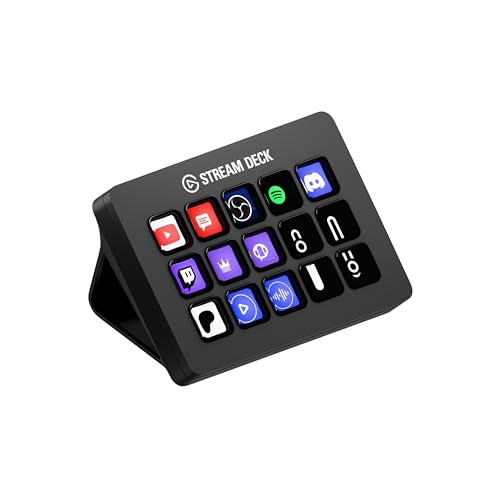
Elgato Stream Deck MK.2
15 LCD keys that run your entire stream.
- Keys: 15 customizable LCD keys
- Connection: USB 2.0 via USB-C connector
Research-based assessment. ThePickLedger has not hands-on tested this product; this evaluation synthesizes manufacturer specifications, retailer documentation, and published expert reviews.
Questions, answered
Is 1080p enough for a streaming webcam in 2026?
Yes for live streaming. Twitch caps output at 1080p60 for most streamers, and YouTube face cams are typically shown small in a corner. 4K matters for recorded content you crop in post, not for live face cams.
Can the StreamCam be used vertically?
Yes, it supports 9:16 vertical mounting for mobile-format content, which is useful for creators who repurpose streams into Shorts or TikTok clips.
Does auto-framing work in OBS?
Yes, auto-framing is handled in the camera firmware and Logitech software, so OBS receives the already-framed feed like any other webcam source.