Ranked on coverage per dollar, with honest notes on where budget systems lose speed.
The Best Budget Mesh Wi-Fi Systems (2026)
Whole-home Wi-Fi for the least money: Deco X55 Pro, Deco X55, Atlas 6, and eero 6.
Our top picks at a glance
Best budget start
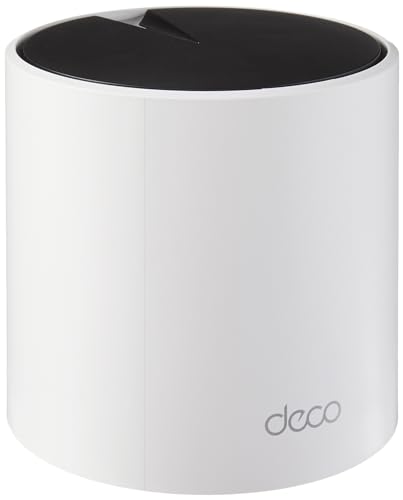 TP-Link Deco X55 Pro (1-pack)
Smaller homes and flats that want mesh expandability without buying a pack.
Best budget overall
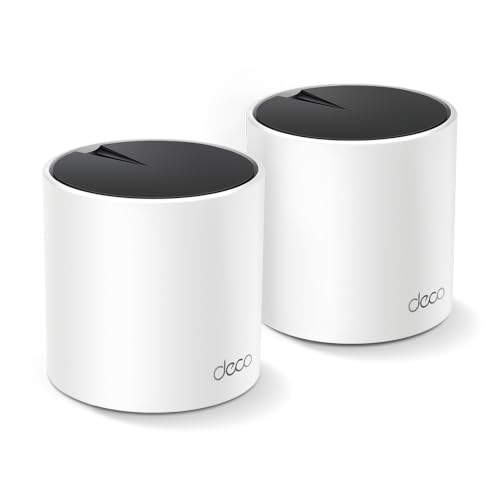 TP-Link Deco X55 (2-pack)
Medium homes up to about 4,500 square feet on plans up to gigabit speed.
Best budget 3-pack
 Linksys Atlas 6 (3-pack, MX20MS3)
Large homes that need three nodes but do not want premium tri-band pricing.
The Deco X55 (2-pack) is the budget sweet spot: Wi-Fi 6, 4,500 sq ft, and a fair price. Start with the single Deco X55 Pro if the home is small, and step up to the Atlas 6 (3-pack) if three nodes are needed from day one.
The picks, ranked
| Pick | Wi-Fi standard | Coverage (1-pack) | Device capacity | Buy |
|---|---|---|---|---|
| Best budget startTP-Link Deco X55 Pro (1-pack) | Wi-Fi 6, AX3000 dual-band | Up to 2,500 sq ft per TP-Link | Up to 150 devices per TP-Link | Check price |
| Best budget overallTP-Link Deco X55 (2-pack) | Wi-Fi 6, AX3000 dual-band | - | - | Check price |
| Best budget 3-packLinksys Atlas 6 (3-pack, MX20MS3) | Wi-Fi 6, AX3000 dual-band | - | 75+ devices per Linksys | Check price |
 Best budget Alexa mesheero eero 6 (3-pack, 3 routers) | Wi-Fi 6, AX1800 dual-band | - | 75+ devices per eero | Check price |
 Best budget simple meshGoogle Nest Wifi (2-pack, routers) | Wi-Fi 5 (802.11ac), AC2200 | - | - | Check price |
Best budget start
TP-Link Deco X55 Pro (1-pack)
The single-unit start: Wi-Fi 6 mesh you can expand one node at a time.
Strengths
- A single unit covers up to 2,500 square feet per TP-Link, which suits flats and small houses on its own.
- Two 2.5 gigabit ports per unit outclass the standard X55 for wired devices and future plans.
- Buying one unit now and adding nodes later spreads the cost and avoids paying for coverage you do not need yet.
Limitations
- One unit is a router, not a mesh: the mesh benefit only appears when a second node joins.
- Dual-band design shares a band for backhaul once expanded, like the standard X55.
- Capacity of up to 150 devices is generous, but heavy smart homes may still prefer tri-band systems.
What owners report
Commonly praised
- Single unit suits flats and small houses on its own
- Faster wired ports than the standard model for wired devices and future plans
- Buying one now and adding nodes later spreads the cost
Common complaints
- One unit alone is a router, not a mesh; the benefit appears only with a second node
- Dual-band design shares a band for backhaul once expanded
- Heavy smart homes may still prefer tri-band systems
Recurring themes from owner reviews on retailers and forums, summarised by our editors. Updated October 2026.
| Wi-Fi standard | Wi-Fi 6, AX3000 dual-band |
|---|---|
| Coverage (1-pack) | Up to 2,500 sq ft per TP-Link |
| Device capacity | Up to 150 devices per TP-Link |
| Ports per unit | 2 x 2.5 Gbps Ethernet |
| Expansion | Add Deco nodes to form a mesh |
Best for: Smaller homes and flats that want mesh expandability without buying a pack.
Skip if: Your home already needs two or three units, where a pack costs less per node.
Best budget overall
TP-Link Deco X55 (2-pack)
The value mesh default: Wi-Fi 6 coverage for medium homes at a sensible price.
Strengths
- AX3000 Wi-Fi 6 dual-band speeds suit the vast majority of broadband plans, so the system rarely becomes the bottleneck in a normal home.
- Two units cover up to 4,500 square feet per TP-Link, which handles most three and four bedroom homes without a third node.
- Three gigabit Ethernet ports per unit plus Ethernet backhaul support give wired devices and wired node links a straightforward path.
Limitations
- Dual-band design shares a band for backhaul, so wireless node speeds drop further from the main unit than on tri-band rivals.
- Gigabit ports cap wired speeds at 1 Gbps, which limits future multi-gigabit plans.
- Advanced parental controls beyond the basics sit behind the HomeShield Pro subscription.
What owners report
Commonly praised
- Speeds suit the vast majority of broadband plans, so it rarely becomes the bottleneck
- Two units handle most three and four bedroom homes without a third node
- Plenty of wired ports per unit, with wired node links supported
Common complaints
- Dual-band design shares a band for backhaul, so distant node speeds drop
- Gigabit ports cap wired speeds, limiting future multi-gigabit plans
- Advanced parental controls beyond basics sit behind a paid subscription
Recurring themes from owner reviews on retailers and forums, summarised by our editors. Updated October 2026.
| Wi-Fi standard | Wi-Fi 6, AX3000 dual-band |
|---|---|
| Coverage (2-pack) | Up to 4,500 sq ft per TP-Link |
| Ports per unit | 3 x gigabit Ethernet |
| Backhaul | Wireless or Ethernet backhaul |
| Warranty | 2 years per TP-Link |
Best for: Medium homes up to about 4,500 square feet on plans up to gigabit speed.
Skip if: Your home is very large, or you need Wi-Fi 7 or multi-gigabit ports.
Best budget 3-pack
Linksys Atlas 6 (3-pack, MX20MS3)
The three-pack value mesh: Wi-Fi 6 for large homes at a mid-range price.
Strengths
- Three units cover up to 6,000 square feet per Linksys, which is genuine large-home coverage at a mid-range price.
- Intelligent Mesh technology steers devices to the best node and band automatically, so phones do not cling to a distant unit.
- A 3.5 year warranty per Linksys is longer than most mesh rivals offer, which matters for hardware that runs around the clock.
Limitations
- Dual-band design shares backhaul with device traffic, so wireless node speeds fall with distance more than on tri-band systems.
- Gigabit ports only, with no multi-gigabit option for faster plans.
- The Linksys app is functional rather than polished, and advanced controls are limited.
What owners report
Commonly praised
- Genuine large-home coverage at a mid-range price
- Automatic steering stops phones clinging to a distant unit
- Longer warranty than most rivals, which matters for always-on hardware
Common complaints
- Dual-band design shares backhaul with device traffic, so node speeds fall with distance
- Gigabit ports only, with no multi-gigabit option for faster plans
- App is functional rather than polished, and advanced controls are limited
Recurring themes from owner reviews on retailers and forums, summarised by our editors. Updated October 2026.
| Wi-Fi standard | Wi-Fi 6, AX3000 dual-band |
|---|---|
| Coverage (3-pack) | Up to 6,000 sq ft per Linksys |
| Device capacity | 75+ devices per Linksys |
| Mesh technology | Linksys Intelligent Mesh |
| Warranty | 3.5 years per Linksys |
Best for: Large homes that need three nodes but do not want premium tri-band pricing.
Skip if: You need a dedicated backhaul band, or your plan exceeds gigabit speed.
Best budget Alexa mesh
eero eero 6 (3-pack, 3 routers)
The Alexa-friendly mesh: three routers, smart home hub features, and simple setup.
Strengths
- Three routers cover up to 4,500 square feet per eero, with each unit carrying two gigabit Ethernet ports and full routing capability.
- A built-in Zigbee and Thread smart home hub lets eero double as the centre of an Alexa smart home without a separate hub.
- Support for plans up to 900 Mbps and 75+ devices suits most family homes on standard gigabit or slower plans.
Limitations
- Dual-band AX1800 speeds are the slowest in this guide, which shows on fast plans and busy networks.
- Advanced features such as enhanced security and detailed controls sit behind the eero Plus subscription.
- Automatic updates and cloud management suit most owners but frustrate users who want local-only control.
What owners report
Commonly praised
- Three full routers cover a family home, each with wired ports
- Built-in smart home hub doubles as the centre of an Alexa home
- Suits most family homes on standard broadband plans
Common complaints
- Slowest speeds in this guide, which show on fast plans and busy networks
- Advanced security and detailed controls sit behind a paid subscription
- Automatic cloud updates suit most owners but frustrate local-only users
Recurring themes from owner reviews on retailers and forums, summarised by our editors. Updated October 2026.
| Wi-Fi standard | Wi-Fi 6, AX1800 dual-band |
|---|---|
| Coverage (3-pack) | Up to 4,500 sq ft per eero |
| Device capacity | 75+ devices per eero |
| Plan support | For plans up to 900 Mbps per eero |
| Smart home | Zigbee and Thread hub built in |
Best for: Alexa households that want mesh Wi-Fi and smart home hub features in one system.
Skip if: You need tri-band backhaul, or you want advanced router controls.
Best budget simple mesh
Google Nest Wifi (2-pack, routers)
The simplest mesh: two routers, one Google Home app, and coverage for medium homes.
Strengths
- Setup in the Google Home app takes minutes and groups naturally with Nest speakers, Chromecast devices, and Google Home routines.
- Two routers, rather than a router plus points, give each unit full routing capability and two Ethernet ports per unit.
- Compatibility with Google Wifi and Nest Wifi points lets existing Google owners expand without replacing their system.
Limitations
- Wi-Fi 5 era hardware, so speeds trail Wi-Fi 6 and Wi-Fi 7 systems on fast plans.
- Only two Ethernet ports per router, with no multi-gigabit support.
- Advanced controls are thinner than ASUS or TP-Link offer, which limits enthusiasts.
What owners report
Commonly praised
- Setup in the Google Home app takes minutes and groups naturally with Nest devices
- Two full routers give each unit full routing capability
- Existing Google owners can expand without replacing their system
Common complaints
- Older wireless generation, so speeds trail newer systems on fast plans
- Only two wired ports per router, with no multi-gigabit support
- Advanced controls are thinner than ASUS or TP-Link offer
Recurring themes from owner reviews on retailers and forums, summarised by our editors. Updated October 2026.
| Wi-Fi standard | Wi-Fi 5 (802.11ac), AC2200 |
|---|---|
| Coverage (2-pack) | Up to 4,400 sq ft per Google |
| Coverage per router | Up to 2,200 sq ft per Google |
| Ports per router | 2 x gigabit Ethernet |
| App | Google Home app |
Best for: Google households that want mesh Wi-Fi with the least configuration.
Skip if: You need Wi-Fi 6 speeds, many Ethernet ports, or advanced router controls.
Questions, answered
What do budget mesh systems give up?
Tri-band backhaul, multi-gigabit ports, and advanced controls. Budget systems share a band for backhaul, so distant nodes run slower than tri-band rivals, and they cap wired speeds at gigabit or below.
Is a budget mesh better than a single expensive router?
For coverage, yes: two well-placed budget nodes beat one powerful router in a large or thick-walled home. For raw speed in a small flat, a single good router may be faster and cheaper.
Can a budget mesh handle many devices?
Yes up to a point: the X55 Pro handles 150 devices and the Atlas 6 handles 75+, which covers most family homes. Very busy smart homes with hundreds of devices should step up to tri-band systems.