Best of
The Best Mesh Wi-Fi Systems (2026)
The best mesh Wi-Fi systems of 2026: TP-Link Deco X55 and BE63, ASUS ZenWiFi XT8 and XD5, NETGEAR Orbi RBK753 and RBK753P, Google Nest Wifi, Linksys Atlas 6, and eero 6, compared on coverage and backhaul.
Our top picks at a glance
Best overall
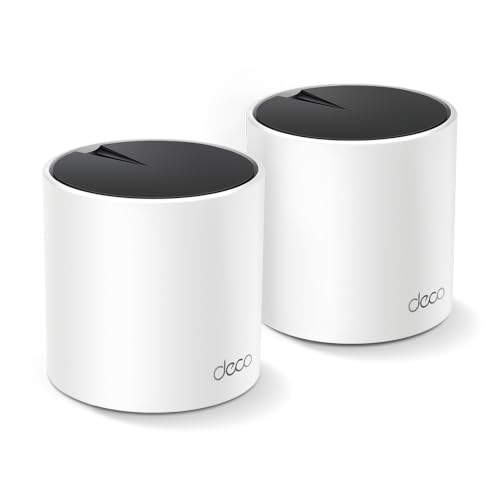 TP-Link Deco X55 (2-pack)
Medium homes up to about 4,500 square feet on plans up to gigabit speed.
Best Wi-Fi 7
 TP-Link Deco BE63 (2-pack)
Large homes with gigabit-plus plans and many connected devices.
Best for enthusiasts
 ASUS ZenWiFi AX XT8 (2-pack)
Buyers who want router-level controls, VPN features, and lifetime security without a subscription.
For most homes, the TP-Link Deco X55 (2-pack) is the pick: enough speed and coverage for a medium home at a fair price. Large homes should buy the Orbi RBK753 for dedicated backhaul and 7,500 sq ft coverage, or the Linksys Atlas 6 (3-pack) for large-home coverage on a budget. Future-proof buyers with gigabit-plus plans should buy the Wi-Fi 7 Deco BE63 (2-pack), while enthusiasts should buy the ASUS ZenWiFi XT8 for its controls and lifetime security.
The picks, ranked
| Pick | Wi-Fi standard | Coverage (2-pack) | Ports per unit | Buy |
|---|---|---|---|---|
| Best overallTP-Link Deco X55 (2-pack) | Wi-Fi 6, AX3000 dual-band | Up to 4,500 sq ft per TP-Link | 3 x gigabit Ethernet | Check price |
| Best Wi-Fi 7TP-Link Deco BE63 (2-pack) | Wi-Fi 7, BE10000 tri-band | Up to 5,800 sq ft per TP-Link | 4 x 2.5 Gbps Ethernet, 1 x USB 3.0 | Check price |
| Best for enthusiastsASUS ZenWiFi AX XT8 (2-pack) | Wi-Fi 6, AX6600 tri-band | Up to 5,500 sq ft per ASUS | 1 x 2.5 Gbps WAN, 3 x gigabit LAN | Check price |
 Best for large homesNETGEAR Orbi RBK753 | Wi-Fi 6, AX4200 tri-band | - | - | Check price |
 Best Orbi valueNETGEAR Orbi RBK753P | Wi-Fi 6, AX5200 tri-band | - | - | Check price |
 Best simple setupGoogle Nest Wifi (2-pack, routers) | Wi-Fi 5 (802.11ac), AC2200 | Up to 4,400 sq ft per Google | - | Check price |
 Best single unitTP-Link Deco X55 Pro (1-pack) | Wi-Fi 6, AX3000 dual-band | - | 2 x 2.5 Gbps Ethernet | Check price |
 Best 3-pack valueLinksys Atlas 6 (3-pack, MX20MS3) | Wi-Fi 6, AX3000 dual-band | - | - | Check price |
 Best compact meshASUS ZenWiFi AX Mini XD5 (3-pack) | Wi-Fi 6, AX3000 dual-band | - | - | Check price |
 Best Alexa mesheero eero 6 (3-pack, 3 routers) | Wi-Fi 6, AX1800 dual-band | - | - | Check price |
Best overall
TP-Link Deco X55 (2-pack)
The value mesh default: Wi-Fi 6 coverage for medium homes at a sensible price.
Strengths
- AX3000 Wi-Fi 6 dual-band speeds suit the vast majority of broadband plans, so the system rarely becomes the bottleneck in a normal home.
- Two units cover up to 4,500 square feet per TP-Link, which handles most three and four bedroom homes without a third node.
- Three gigabit Ethernet ports per unit plus Ethernet backhaul support give wired devices and wired node links a straightforward path.
Limitations
- Dual-band design shares a band for backhaul, so wireless node speeds drop further from the main unit than on tri-band rivals.
- Gigabit ports cap wired speeds at 1 Gbps, which limits future multi-gigabit plans.
- Advanced parental controls beyond the basics sit behind the HomeShield Pro subscription.
What owners report
Commonly praised
- Speeds suit the vast majority of broadband plans, so it rarely becomes the bottleneck
- Two units handle most three and four bedroom homes without a third node
- Plenty of wired ports per unit, with wired node links supported
Common complaints
- Dual-band design shares a band for backhaul, so distant node speeds drop
- Gigabit ports cap wired speeds, limiting future multi-gigabit plans
- Advanced parental controls beyond basics sit behind a paid subscription
Recurring themes from owner reviews on retailers and forums, summarised by our editors. Updated October 2026.
| Wi-Fi standard | Wi-Fi 6, AX3000 dual-band |
|---|---|
| Coverage (2-pack) | Up to 4,500 sq ft per TP-Link |
| Ports per unit | 3 x gigabit Ethernet |
| Backhaul | Wireless or Ethernet backhaul |
| Warranty | 2 years per TP-Link |
Best for: Medium homes up to about 4,500 square feet on plans up to gigabit speed.
Skip if: Your home is very large, or you need Wi-Fi 7 or multi-gigabit ports.
Best Wi-Fi 7
TP-Link Deco BE63 (2-pack)
The Wi-Fi 7 step up: tri-band speed, multi-gig ports, and room for 200 devices.
Strengths
- Wi-Fi 7 BE10000 tri-band throughput with a 6 GHz band gives wireless backhaul real headroom, so distant nodes stay fast even under load.
- Four 2.5 gigabit Ethernet ports per unit suit multi-gigabit plans and wired servers, consoles, and network storage.
- Support for over 200 devices plus a USB 3.0 port covers smart homes that have outgrown basic routers.
Limitations
- Wi-Fi 7 benefits need Wi-Fi 7 devices; older phones and laptops see only part of the gain.
- Premium pricing is hard to justify on a sub-gigabit broadband plan.
- Two units cover up to 5,800 square feet per TP-Link, so very large homes still need a third node.
What owners report
Commonly praised
- Tri-band throughput with a fast band gives wireless backhaul real headroom
- Multi-gigabit wired ports suit faster plans and wired servers and storage
- Huge device capacity plus a USB port covers outgrown smart homes
Common complaints
- Wi-Fi 7 benefits need Wi-Fi 7 devices; older phones see only part of the gain
- Premium pricing is hard to justify on a slower broadband plan
- Very large homes still need a third node
Recurring themes from owner reviews on retailers and forums, summarised by our editors. Updated October 2026.
| Wi-Fi standard | Wi-Fi 7, BE10000 tri-band |
|---|---|
| Coverage (2-pack) | Up to 5,800 sq ft per TP-Link |
| Device capacity | 200+ devices per TP-Link |
| Ports per unit | 4 x 2.5 Gbps Ethernet, 1 x USB 3.0 |
| Security | TP-Link HomeShield included |
Best for: Large homes with gigabit-plus plans and many connected devices.
Skip if: Your broadband plan is under 500 Mbps, or your budget stops at Wi-Fi 6.
Best for enthusiasts
ASUS ZenWiFi AX XT8 (2-pack)
The enthusiast mesh: tri-band Wi-Fi 6 with lifetime security and flexible configuration.
Strengths
- A dedicated 5 GHz backhaul band keeps node-to-node traffic off the bands your devices use, which preserves speed at distance better than dual-band systems.
- Lifetime AiProtection security and a full ASUS router feature set, including VPN and adaptive QoS, come without a subscription.
- A 2.5 gigabit WAN port and three separate SSIDs suit mixed households that want guest, IoT, and main networks kept apart.
Limitations
- Wi-Fi 6 rather than Wi-Fi 7, so it is a mature platform rather than a future-proof one.
- The ASUS app and web interface offer more settings than most buyers need, which can overwhelm first-time mesh owners.
- Units are larger than Deco or eero nodes and need more shelf space.
What owners report
Commonly praised
- Dedicated backhaul band preserves speed at distance better than dual-band systems
- Lifetime security plus VPN and quality controls with no subscription
- Separate networks for guests, smart devices, and the main household
Common complaints
- Wi-Fi 6 rather than Wi-Fi 7, so it is a mature platform rather than a future-proof one
- App and web interface offer more settings than most buyers need
- Units are larger than Deco or eero nodes and need more shelf space
Recurring themes from owner reviews on retailers and forums, summarised by our editors. Updated October 2026.
| Wi-Fi standard | Wi-Fi 6, AX6600 tri-band |
|---|---|
| Coverage (2-pack) | Up to 5,500 sq ft per ASUS |
| Ports per unit | 1 x 2.5 Gbps WAN, 3 x gigabit LAN |
| Backhaul | Dedicated 5 GHz band or Ethernet |
| Security | AiProtection lifetime, no subscription |
Best for: Buyers who want router-level controls, VPN features, and lifetime security without a subscription.
Skip if: You want the simplest possible app, or you need Wi-Fi 7.
Best for large homes
NETGEAR Orbi RBK753
The large-home tri-band classic: dedicated backhaul and up to 7,500 square feet of coverage.
Strengths
- A dedicated 5 GHz backhaul band keeps the full device bandwidth available, which is why Orbi systems hold speed well at distance.
- Three units cover up to 7,500 square feet per NETGEAR, which suits large and multi-storey homes without extra nodes.
- Seven gigabit Ethernet ports across the system give wired devices plenty of room without a separate switch.
Limitations
- Premium pricing for Wi-Fi 6 hardware in a Wi-Fi 7 era, though the platform remains fast for most plans.
- NETGEAR Armor security is a trial rather than a lifetime inclusion, with a subscription after the trial ends.
- Large satellite units are conspicuous on shelves compared with smaller Deco and eero nodes.
What owners report
Commonly praised
- Dedicated backhaul keeps full device bandwidth available at distance
- Three units suit large and multi-storey homes without extra nodes
- Plenty of wired ports across the system, with no separate switch needed
Common complaints
- Premium pricing for older-generation hardware, though it stays fast for most plans
- Security is a trial rather than a lifetime inclusion
- Large satellite units are conspicuous on shelves
Recurring themes from owner reviews on retailers and forums, summarised by our editors. Updated October 2026.
| Wi-Fi standard | Wi-Fi 6, AX4200 tri-band |
|---|---|
| Coverage (3-pack) | Up to 7,500 sq ft per NETGEAR |
| Device capacity | 40+ devices per NETGEAR |
| Ports | 7 x gigabit Ethernet across the system |
| Processor | Quad-core 1.4 GHz per NETGEAR |
Best for: Large homes that need strong tri-band coverage from a three-unit system.
Skip if: Your home is small, or you want Wi-Fi 7 or multi-gigabit ports.
Best Orbi value
NETGEAR Orbi RBK753P
The faster Orbi: AX5200 tri-band speed for busier large homes.
Strengths
- AX5200 tri-band speeds lift device bandwidth over the RBK753, which helps when many people stream and video call at once.
- The same up to 7,500 square feet of coverage and dedicated backhaul band keep distant rooms fast.
- Capacity for 75 devices per NETGEAR covers busy family homes with smart devices in every room.
Limitations
- Still Wi-Fi 6, so it is an upgrade in speed rather than in wireless generation.
- NETGEAR Armor remains a trial product, not a lifetime inclusion.
- Satellite size and premium pricing match the RBK753 rather than undercutting it.
What owners report
Commonly praised
- Higher device bandwidth helps when many people stream and video call at once
- Same large coverage and dedicated backhaul keep distant rooms fast
- Capacity covers busy family homes with smart devices in every room
Common complaints
- Still older-generation wireless, so it is a speed upgrade rather than a generation jump
- Security remains a trial product, not a lifetime inclusion
- Satellite size and premium pricing match the sibling system rather than undercutting it
Recurring themes from owner reviews on retailers and forums, summarised by our editors. Updated October 2026.
| Wi-Fi standard | Wi-Fi 6, AX5200 tri-band |
|---|---|
| Coverage (3-pack) | Up to 7,500 sq ft per NETGEAR |
| Device capacity | 75 devices per NETGEAR |
| Backhaul | Dedicated 5 GHz band or Ethernet |
| Security | NETGEAR Armor, 30-day trial per listing |
Best for: Large homes with more devices and heavier simultaneous use than the RBK753 targets.
Skip if: You need Wi-Fi 7, or your device count is modest.
Best simple setup
Google Nest Wifi (2-pack, routers)
The simplest mesh: two routers, one Google Home app, and coverage for medium homes.
Strengths
- Setup in the Google Home app takes minutes and groups naturally with Nest speakers, Chromecast devices, and Google Home routines.
- Two routers, rather than a router plus points, give each unit full routing capability and two Ethernet ports per unit.
- Compatibility with Google Wifi and Nest Wifi points lets existing Google owners expand without replacing their system.
Limitations
- Wi-Fi 5 era hardware, so speeds trail Wi-Fi 6 and Wi-Fi 7 systems on fast plans.
- Only two Ethernet ports per router, with no multi-gigabit support.
- Advanced controls are thinner than ASUS or TP-Link offer, which limits enthusiasts.
What owners report
Commonly praised
- Setup in the Google Home app takes minutes and groups naturally with Nest devices
- Two full routers give each unit full routing capability
- Existing Google owners can expand without replacing their system
Common complaints
- Older wireless generation, so speeds trail newer systems on fast plans
- Only two wired ports per router, with no multi-gigabit support
- Advanced controls are thinner than ASUS or TP-Link offer
Recurring themes from owner reviews on retailers and forums, summarised by our editors. Updated October 2026.
| Wi-Fi standard | Wi-Fi 5 (802.11ac), AC2200 |
|---|---|
| Coverage (2-pack) | Up to 4,400 sq ft per Google |
| Coverage per router | Up to 2,200 sq ft per Google |
| Ports per router | 2 x gigabit Ethernet |
| App | Google Home app |
Best for: Google households that want mesh Wi-Fi with the least configuration.
Skip if: You need Wi-Fi 6 speeds, many Ethernet ports, or advanced router controls.
Best single unit
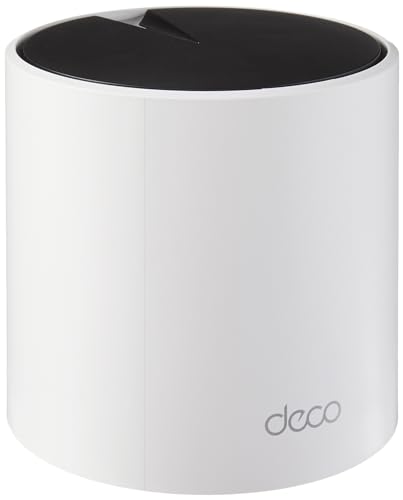
TP-Link Deco X55 Pro (1-pack)
The single-unit start: Wi-Fi 6 mesh you can expand one node at a time.
Strengths
- A single unit covers up to 2,500 square feet per TP-Link, which suits flats and small houses on its own.
- Two 2.5 gigabit ports per unit outclass the standard X55 for wired devices and future plans.
- Buying one unit now and adding nodes later spreads the cost and avoids paying for coverage you do not need yet.
Limitations
- One unit is a router, not a mesh: the mesh benefit only appears when a second node joins.
- Dual-band design shares a band for backhaul once expanded, like the standard X55.
- Capacity of up to 150 devices is generous, but heavy smart homes may still prefer tri-band systems.
What owners report
Commonly praised
- Single unit suits flats and small houses on its own
- Faster wired ports than the standard model for wired devices and future plans
- Buying one now and adding nodes later spreads the cost
Common complaints
- One unit alone is a router, not a mesh; the benefit appears only with a second node
- Dual-band design shares a band for backhaul once expanded
- Heavy smart homes may still prefer tri-band systems
Recurring themes from owner reviews on retailers and forums, summarised by our editors. Updated October 2026.
| Wi-Fi standard | Wi-Fi 6, AX3000 dual-band |
|---|---|
| Coverage (1-pack) | Up to 2,500 sq ft per TP-Link |
| Device capacity | Up to 150 devices per TP-Link |
| Ports per unit | 2 x 2.5 Gbps Ethernet |
| Expansion | Add Deco nodes to form a mesh |
Best for: Smaller homes and flats that want mesh expandability without buying a pack.
Skip if: Your home already needs two or three units, where a pack costs less per node.
Best 3-pack value
Linksys Atlas 6 (3-pack, MX20MS3)
The three-pack value mesh: Wi-Fi 6 for large homes at a mid-range price.
Strengths
- Three units cover up to 6,000 square feet per Linksys, which is genuine large-home coverage at a mid-range price.
- Intelligent Mesh technology steers devices to the best node and band automatically, so phones do not cling to a distant unit.
- A 3.5 year warranty per Linksys is longer than most mesh rivals offer, which matters for hardware that runs around the clock.
Limitations
- Dual-band design shares backhaul with device traffic, so wireless node speeds fall with distance more than on tri-band systems.
- Gigabit ports only, with no multi-gigabit option for faster plans.
- The Linksys app is functional rather than polished, and advanced controls are limited.
What owners report
Commonly praised
- Genuine large-home coverage at a mid-range price
- Automatic steering stops phones clinging to a distant unit
- Longer warranty than most rivals, which matters for always-on hardware
Common complaints
- Dual-band design shares backhaul with device traffic, so node speeds fall with distance
- Gigabit ports only, with no multi-gigabit option for faster plans
- App is functional rather than polished, and advanced controls are limited
Recurring themes from owner reviews on retailers and forums, summarised by our editors. Updated October 2026.
| Wi-Fi standard | Wi-Fi 6, AX3000 dual-band |
|---|---|
| Coverage (3-pack) | Up to 6,000 sq ft per Linksys |
| Device capacity | 75+ devices per Linksys |
| Mesh technology | Linksys Intelligent Mesh |
| Warranty | 3.5 years per Linksys |
Best for: Large homes that need three nodes but do not want premium tri-band pricing.
Skip if: You need a dedicated backhaul band, or your plan exceeds gigabit speed.
Best compact mesh
ASUS ZenWiFi AX Mini XD5 (3-pack)
The compact ASUS mesh: small nodes, full ASUS features, and three-unit coverage.
Strengths
- Small, discreet nodes fit shelves and side tables where large Orbi and XT8 units dominate, which helps placement in living spaces.
- AiMesh compatibility lets the XD5 join other ASUS routers and nodes, so an existing ASUS home can expand without a new system.
- Lifetime internet security and a quad-core processor give a compact system more headroom than its size suggests.
Limitations
- Dual-band design again shares backhaul with devices, so wired Ethernet backhaul helps a lot where cabling exists.
- No multi-gigabit ports, which limits future plan upgrades.
- Three small nodes cover up to 5,000 square feet per ASUS, so very large homes may still want a fourth node.
What owners report
Commonly praised
- Small discreet nodes fit shelves where large units dominate
- Joins other ASUS routers, so an existing ASUS home expands without a new system
- Lifetime security and a capable processor give a compact system real headroom
Common complaints
- Dual-band design shares backhaul with devices, so wired backhaul helps where cabling exists
- No multi-gigabit ports, which limits future plan upgrades
- Very large homes may still want a fourth node
Recurring themes from owner reviews on retailers and forums, summarised by our editors. Updated October 2026.
| Wi-Fi standard | Wi-Fi 6, AX3000 dual-band |
|---|---|
| Coverage (3-pack) | Up to 5,000 sq ft per ASUS |
| Processor | 1.7 GHz quad-core per ASUS |
| Mesh technology | ASUS AiMesh |
| Security | Lifetime internet security per ASUS |
Best for: Homes that want ASUS controls and AiMesh expansion in discreet small nodes.
Skip if: You need a dedicated backhaul band or multi-gigabit ports.
Best Alexa mesh
eero eero 6 (3-pack, 3 routers)
The Alexa-friendly mesh: three routers, smart home hub features, and simple setup.
Strengths
- Three routers cover up to 4,500 square feet per eero, with each unit carrying two gigabit Ethernet ports and full routing capability.
- A built-in Zigbee and Thread smart home hub lets eero double as the centre of an Alexa smart home without a separate hub.
- Support for plans up to 900 Mbps and 75+ devices suits most family homes on standard gigabit or slower plans.
Limitations
- Dual-band AX1800 speeds are the slowest in this guide, which shows on fast plans and busy networks.
- Advanced features such as enhanced security and detailed controls sit behind the eero Plus subscription.
- Automatic updates and cloud management suit most owners but frustrate users who want local-only control.
What owners report
Commonly praised
- Three full routers cover a family home, each with wired ports
- Built-in smart home hub doubles as the centre of an Alexa home
- Suits most family homes on standard broadband plans
Common complaints
- Slowest speeds in this guide, which show on fast plans and busy networks
- Advanced security and detailed controls sit behind a paid subscription
- Automatic cloud updates suit most owners but frustrate local-only users
Recurring themes from owner reviews on retailers and forums, summarised by our editors. Updated October 2026.
| Wi-Fi standard | Wi-Fi 6, AX1800 dual-band |
|---|---|
| Coverage (3-pack) | Up to 4,500 sq ft per eero |
| Device capacity | 75+ devices per eero |
| Plan support | For plans up to 900 Mbps per eero |
| Smart home | Zigbee and Thread hub built in |
Best for: Alexa households that want mesh Wi-Fi and smart home hub features in one system.
Skip if: You need tri-band backhaul, or you want advanced router controls.
How we chose
Coverage measured against real homes, not box claims
Maker coverage figures assume open-plan layouts, so they were treated as upper bounds. Homes with thick walls, multiple storeys, or garden offices were steered to systems with an extra node or a dedicated backhaul band rather than to the cheapest pack that claims the same area.
Backhaul decided speed at distance
Tri-band systems with a dedicated backhaul band, and any system with Ethernet backhaul, scored higher than dual-band systems that share a band with devices. This single factor explains most of the speed difference between a good mesh and a disappointing one.
Plan speed capped the recommendation
A mesh faster than the broadband plan adds nothing measurable, so gigabit-plus systems were recommended only to homes with gigabit-plus plans or heavy internal traffic such as local media servers. Budget systems were credited where they match the plan honestly.
Subscriptions and longevity counted
Lifetime security from ASUS scored above trial-based security from NETGEAR, and long warranties from Linksys scored above short ones. A mesh runs around the clock for years, so support length is a real cost factor, not a footnote.
Questions, answered
How many mesh units do I need?
One per 1,500 to 2,000 square feet is a realistic rule for normal construction, with an extra unit for multi-storey homes or thick walls. Maker figures assume open space, so treat them as optimistic and add a node if your home has brick internal walls.
Is Wi-Fi 7 worth it yet?
Yes if you have a gigabit-plus plan, many Wi-Fi 7 devices, or heavy internal traffic. No if your plan is under 500 Mbps and your devices are Wi-Fi 6 or older: a good Wi-Fi 6 system will feel identical and cost far less.
Should I wire my mesh units with Ethernet?
Yes wherever possible. Ethernet backhaul frees the wireless bands for devices and gives the steadiest speeds, especially on dual-band systems. Even wiring one distant node transforms its performance.
Can I mix mesh brands?
Not as one mesh system: nodes from different makers will not form a single managed mesh. Some routers support open standards for basic roaming, but for a managed mesh with one app and one network name, stay within one brand family.